
APPLICATIONS · AUTOMATION · DATA
Build.
Automate.
Explore.
Turn your ideas into applications.
Turn your data into decisions.
One studio for your business apps, workflows and dashboards.
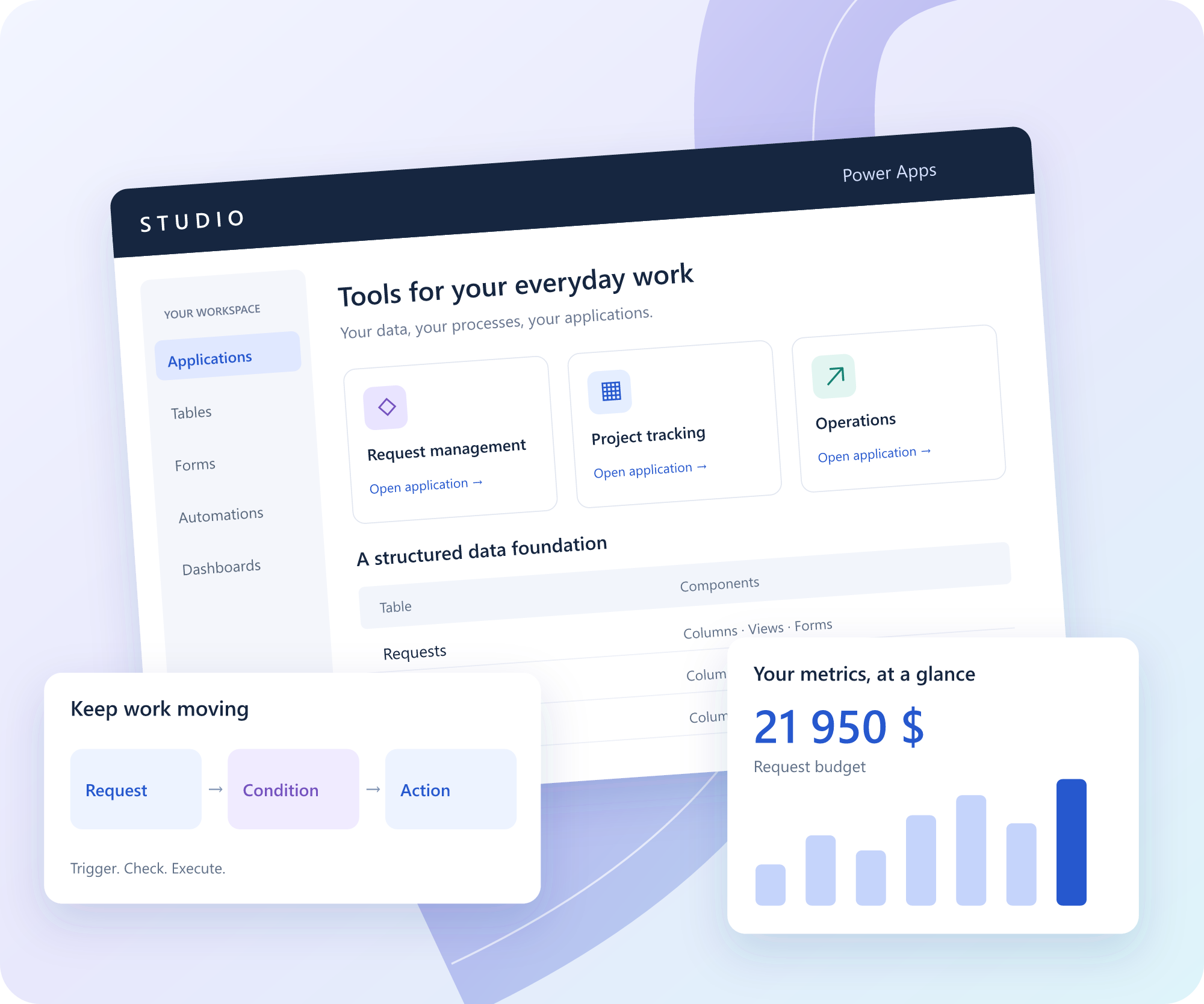
One studio. Four ways forward.
Connect the tools your teams use to build, act, understand and learn.
01 / APPLICATIONS
Your processes, made tangible.
Model your tables, views and forms. Guide users with business rules and step-by-step business processes.
02 / AUTOMATION
Less repetition. More progress.
Build workflows with conditions, schedules, loops and error handling. Follow their execution from one place.
03 / DATA & KPIs
See what moves your business.
Combine KPI cards, charts and filters into dashboards connected to your application data.
04 / TRAINING
A workspace for every learner.
Prepare individual spaces in batches. Let learners build their own apps in their assigned environment.
DATA & INSIGHTS
See the bigger picture.
Decide with your data.
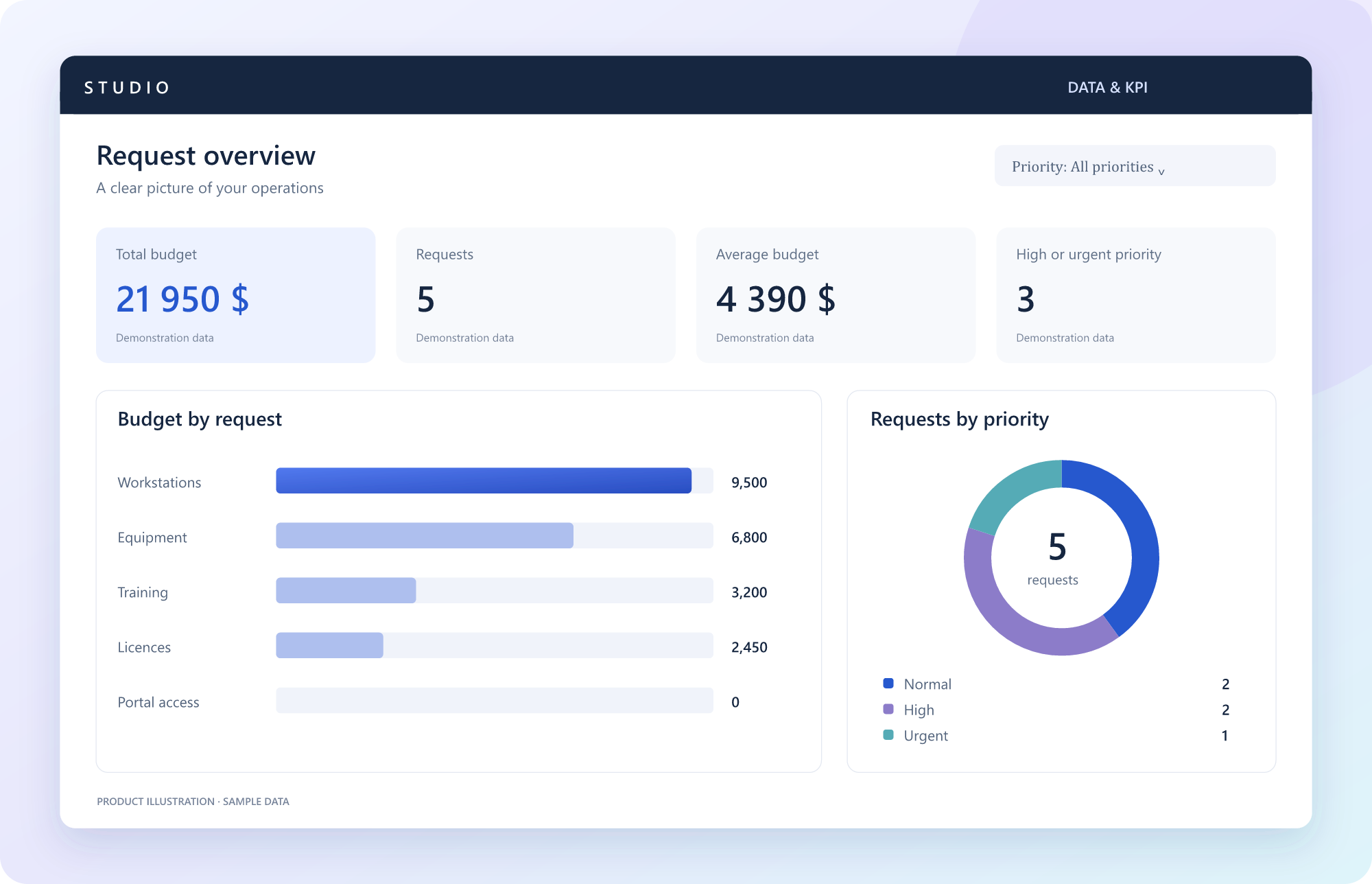
Connect your dashboards to your application data. Budgets, priorities and activity: bring the metrics that matter into focus.
01
KPI cards
Essential totals, counts and averages, at a glance.
02
Charts & comparisons
Compare categories and see how your activity is distributed.
03
Filters & exploration
Narrow your view and explore the data behind each metric.
04
Reports & access
Build your reports and share them according to business permissions.
TRAINING & PRACTICE
Give every learner
room to build.
Create a cohort’s spaces from the administration portal. Distribute individual access codes and let learners practise on apps, workflows and dashboards.
Individual spaces
Each learner works in an assigned space. Access depends on the rights granted to their account.
Development, test, production
Separate building, validation and use to teach a structured application lifecycle.
Practical learning
Build a business app, automate a process and analyse the results in a dashboard.
Clear answers, from the start.
Is this a Microsoft product?
Studio Power Apps is an independent platform provided by Power Apps Studio. It draws inspiration from familiar low-code and business intelligence workflows. It is not a Microsoft service and is not affiliated with Microsoft.
Can every learner build their own apps?
Yes. An administrator can prepare individual spaces and distribute access codes. Each learner’s permissions determine what they can create and access.
Can I build dashboards without exporting everything?
The reporting module uses the platform’s table data. You can build KPI cards and charts, add filters and explore the records behind your indicators.
How do I get access?
Contact Power Apps Studio to discuss your project or training session. An administrator prepares your account and assigned space. Once you receive your credentials, sign in using the “Platform access” link.
LET’S TALK
Contact us.
Business apps, automation, data dashboards or training: tell us what you want to achieve.
Power Apps Studio
20 Bd Charest O
Suite 102
Your contact details and message are sent to Power Apps Studio through WordPress to handle your enquiry. Please do not include passwords or confidential documents.


Sign in to your workspace.
Sign in with the credentials provided by your administrator. To arrange an account or a training group, use the contact form above.

